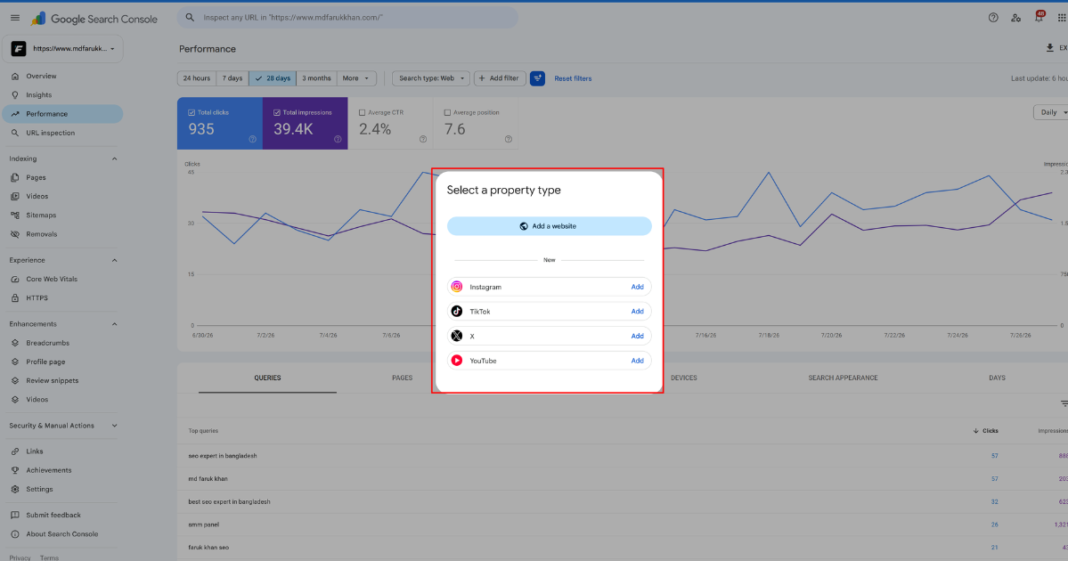
I opened Search Console this week and saw something that has never been there before: an option to add Instagram, TikTok, X, or YouTube as a property, not a website. Google just changed a rule that has held since Search Console existed, and most business owners have not noticed yet.
What Actually Launched
On July 7, 2026, Google introduced a new Search Console property type called platform properties, announced directly on the Google Search Central blog (Google Search Central, See how content from social and video platforms performs on Google Search). It lets creators and businesses connect an Instagram, TikTok, X, or YouTube account and see how that content performs specifically inside Google Search and Discover.
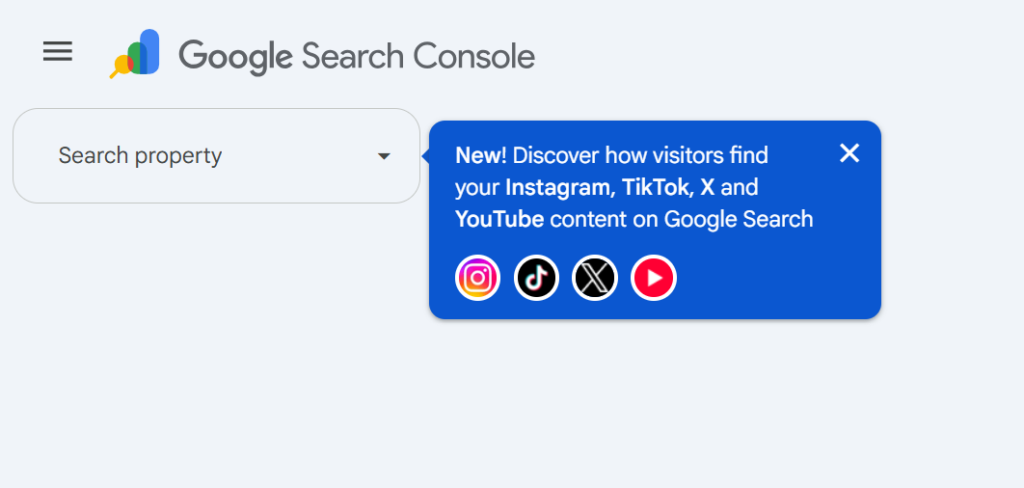
Until now, Search Console only understood two kinds of property, a full domain or a specific URL, and both required proving you owned a website. Platform properties break that rule entirely. For the first time, you can use Search Console without owning a website at all, as long as you have a qualifying social or video account.
What You Actually Get: Two Reports
Once a platform property is connected, Google provides the same kind of reporting you would expect from a regular property, adapted for social and video content:
- Performance report: total clicks, impressions, and the exact search queries that led people to your posts, with filtering and sorting to see which specific posts and search terms are driving the most traffic
- Insights report: a higher level view of traffic trends, your top performing posts, and how people are discovering your account through Google Search
This is genuinely useful data that was not available in one place before. If you post Reels, TikToks, or YouTube videos and have ever wondered whether any of it actually shows up when someone searches on Google, this answers that directly, instead of guessing.
Watch Me Set It Up Step by Step
If you would rather watch the setup instead of reading it, I recorded a short walkthrough showing exactly how to add YouTube and X as platform properties inside Search Console, including what the verification screen looks like in real time.
How to Set It Up
The process is simple and does not involve any DNS records or code, unlike verifying a website property:
- Open Search Console and click the property selector drop-down in the top left
- Click “Add property”
- Select one of the four available platforms: Instagram, TikTok, X, or YouTube
- Follow the on-screen steps to authorize the connection to that account
- Click “Go to property” once verification completes
Each platform is added as its own separate property, so you get a clean, individual view rather than everything combined into one report. Google has said this is rolling out gradually over the coming weeks, so if you do not see the option yet in your account, that is expected, not a problem on your end.
What This Does Not Do
This is the part worth being clear about, since it is easy to assume a new Google feature automatically means a ranking boost. It does not. Platform properties are a measurement tool, not a ranking signal and not a way to get your content indexed faster. Connecting your Instagram account will not, by itself, make your posts rank higher or appear more often in search results. It simply shows you data that already existed but was not visible in one place before.
It is also worth knowing exactly what gets counted, according to Google’s own documentation (Search Console Help, About platform properties in Search Console). An Instagram story that appears in Google search results counts as an impression, and a click on it counts as a click. The same applies to video content, including when a click opens the video inside Google’s own viewer rather than taking someone to the original platform. What it does not do is track performance on the platform itself, so it will not show you how many times a video was viewed inside TikTok or Instagram directly. That data still belongs to those platforms’ own analytics tools.
Why This Matters for Bangladeshi Businesses
A large part of how Bangladeshi customers discover businesses now happens through Facebook, Instagram, and YouTube content, not only through a website. Most business owners here have never been able to see whether that content actually reaches people through Google Search itself, versus only through the social platform’s own feed and algorithm.
This connects to something worth understanding either way. As AI platforms and Google’s own AI-driven answers increasingly pull from a wider range of sources, not just websites, having consistent, high quality content across Instagram, YouTube, and other platforms builds the same kind of trust signal that a well built website does. Platform properties will not create that trust by themselves, but they finally let you measure whether the content you are already posting is being found through Google Search at all.
What to Do With This Right Now
If you post regularly on Instagram, TikTok, X, or YouTube, connecting these accounts costs nothing and takes a few minutes once the option appears in your account. From there:
- Check the Performance report after a few days of data collection to see which posts are actually appearing in Google Search results
- Look at the exact search queries leading to your content, since these often reveal what people are genuinely searching for in your niche, useful for planning future posts and website content alike
- If a platform shows very low or zero Search visibility, that is a signal worth investigating, not necessarily a problem with the content itself, since visibility depends on many factors outside your control
Frequently Asked Questions
Do I need a website to use platform properties?
No. This is the core change here. Platform properties can be added and verified using only a qualifying Instagram, TikTok, X, or YouTube account, with no website required.
Will connecting my social accounts to Search Console improve my rankings?
No. Platform properties are a reporting tool, not a ranking factor. They show existing performance data, they do not change how Google ranks or discovers content.
Why can I not see this option in my Search Console account yet?
Google has confirmed the rollout is gradual across accounts over several weeks following the July 7, 2026 announcement. Not seeing it yet does not mean anything is wrong with your account.
Does this replace my platform’s own analytics, like Instagram Insights or YouTube Studio?
No. Platform properties only show how your content performs within Google Search and Discover specifically. They do not track in-app views, likes, or other engagement that happens directly on the platform itself.
Is this the same as the Search profiles feature Google launched earlier?
No, these are separate features. Search profiles, launched in June 2026, are public, shareable pages that showcase a creator’s content to an audience. Platform properties are private analytics, showing you how your content performs, not a page shown to your followers.
The Bottom Line
This is a genuinely useful addition, not a gimmick, since it answers a question most creators and businesses have had no real way to answer before: does my social content actually show up when someone searches on Google. It will not move your rankings on its own, but the data it surfaces is worth checking, especially if social content already plays a real role in how your customers find you.